TeamFelsen
Employee management
Keep people, departments, qualifications and operational responsibilities connected.
How it connects
- Employee record
- Department & skills
- Schedule & requests
- Controlled access
Workflow illustration
Inside the application
Actual application screens with fictitious demonstration data. Select a screenshot to open an enlarged preview.
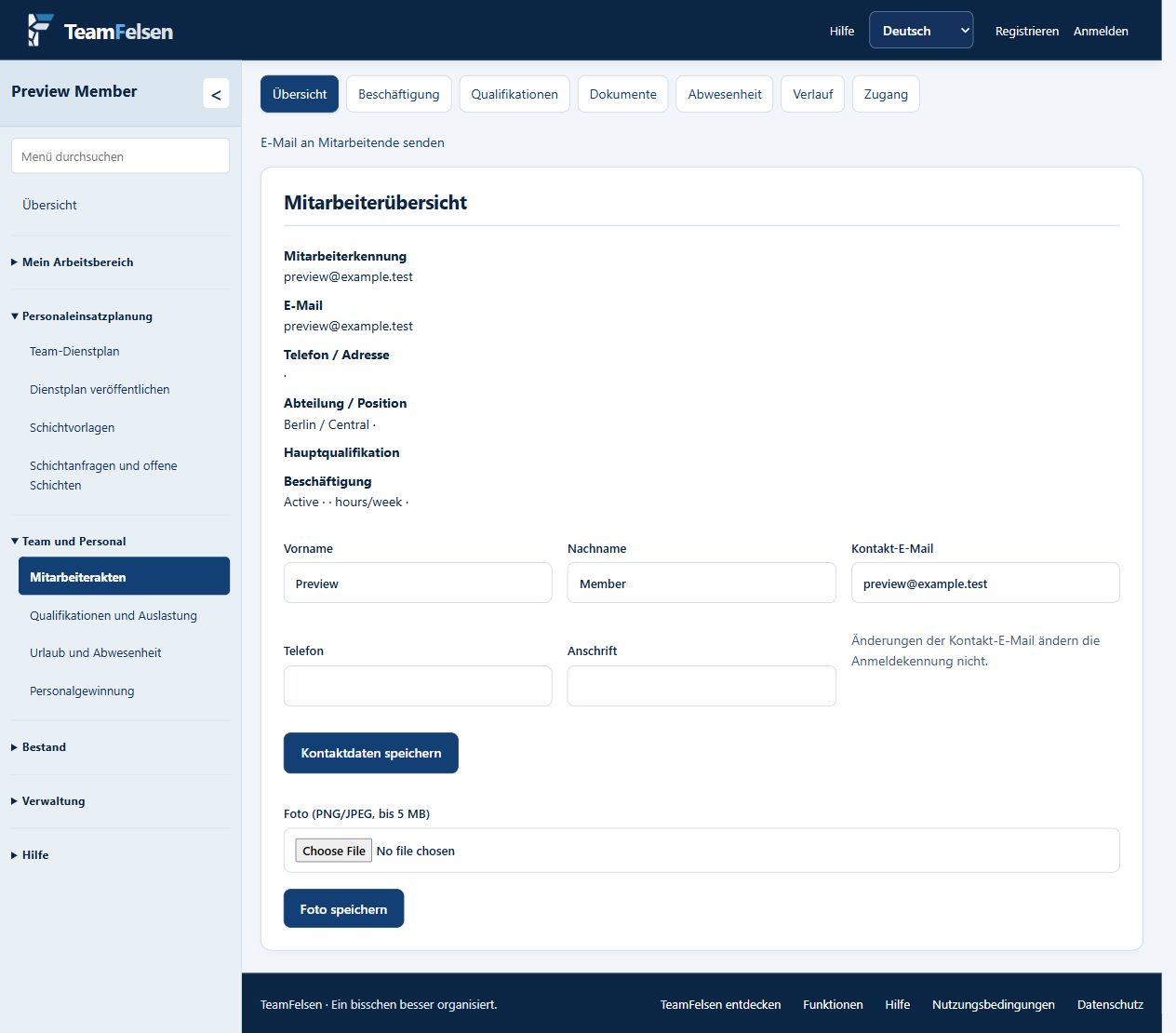
A shared employee record
Manage employee contact information, employment details, qualifications and documents with permission-controlled access. Keep locations and departments connected to planning.
Shift tasks and recorded work
Plan reusable tasks within shifts or as standalone work. Employees record actual periods directly in their weekly schedule; authorised managers review planned and recorded times before hours enter staffing totals. Task details within a shift do not add duplicate hours.
Employee login and self-service
Employees sign in with their own account to view published schedules, submit availability and leave requests, and record working hours. Available functions follow their assigned permissions and enabled modules, keeping employees connected to the same published plan as their managers.
Connect everyday workflows
Leave, availability, working hours and approvals support daily coordination. Recruitment can connect a registered application to onboarding without presenting candidate information publicly.
Delegate responsibilities
Workspace owners assign access according to responsibilities. Department scopes help managers work with the teams they are authorized to manage.
See how TeamFelsen fits your team
Discuss your workflow and request a demonstration or individual offer.
Request a demo Back to overview